
Getting Better Results with AI: How to Write Smarter Prompts
Prompting 101: How to Make AI Work Better for You
AI
Alesia
10/6/20253 min read
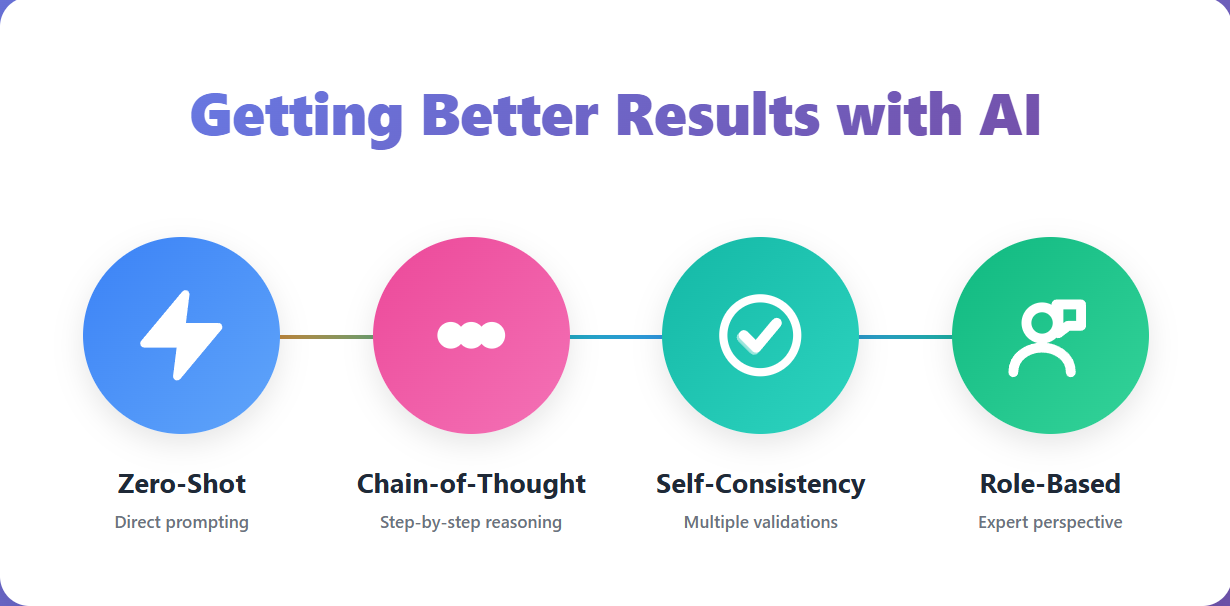
Prompting is both an art and a science — it’s how you communicate with large language models (LLMs) like ChatGPT or Claude to get valuable, high-quality results.
Whether you want to get your customers more engaged, make better marketing content, or understand your data better — learning how to write good prompts can really help you get the most out of AI for your business.
This guide shows exactly that: how to use prompts to get better outcomes.
Zero-Shot and Few-Shot Prompting
Zero-shot prompting means you give the AI a clear task without showing any examples. You just explain what you want, and the AI uses what it already knows.
When to use it:
For simple tasks like summarizing, classifying, or pulling out data
When you want quick results with almost no setup
Think of it like giving a smart employee clear instructions — short, clear, and straight to the point.
Few-Shot Prompting
You give the AI a few examples first, so it understands your style or what kind of answers you want.
Example:
Classify each product review as positive, negative, or neutral.
Review: "Absolutely love this! Best purchase I've made all year."
Sentiment: Positive
Review: "It's okay, nothing special but does the job."
Sentiment: Neutral
Review: "Terrible quality. Broke after two days."
Sentiment: Negative
Review: "The product arrived on time but the quality was disappointing."
Sentiment: ___
Why it helps:
Giving examples helps the AI stay more accurate and consistent — kind of like showing a new team member what “good work” looks like before they start.
Thinking Step-by-Step: Chain-of-Thought Reasoning
Chain-of-Thought (CoT) prompting helps the AI think step by step before giving an answer. It’s great for complex or analytical questions.
Ask the AI to show its steps before giving the final answer. This makes the result easier to check and less likely to be wrong.
Why it helps business:
You can audit decisions (see assumptions and math).
Teams get consistent logic across tasks.
Faster reviews: you spot mistakes quickly.
Use it for:
Business or financial calculations
Market analysis
Problems that need step-by-step logic
Self-Consistency and ReAct
Self-Consistency
Instead of relying on one answer, this method asks the AI the same question several times and compares the results.
Then it chooses the most common or logical answer — the one that makes the most sense.
Why use it:
To get more reliable answers
Works great for forecasts, reports, or financial analysis
ReAct (Reasoning + Acting)
ReAct means the AI thinks and acts in turns.
It explains its thought process and performs small steps — like checking facts or doing quick calculations — before giving the final answer.
You can think of it as having a smart assistant that explains how it got to the answer instead of just giving you one.
Example Prompt 1:
“You are a marketing strategist.
Think step by step to plan and write a blog post about ‘AI tools for small businesses.’
First, list trending keywords.
Then, outline 3-5 key sections with titles.
Finally, draft the introduction.”
Example Prompt 2:
“Act as a business analyst.
We’re planning to launch an online course for small business owners.
Think step by step:
Identify target audience segments
Research what topics are trending
Suggest a course outline.”
Why it’s useful:
Produces research-based content
Keeps the workflow logical and organized
Saves time by breaking big creative tasks into steps
Prompt Chaining
Big projects can be too much for one prompt.
Prompt chaining breaks them into smaller, connected steps — like stages in a business process.
Example: Creating a Blog Post
Research & Outline: Ask AI to make a topic outline.
Write Sections: Have it expand each part.
Edit & Optimize: Ask it to improve tone or SEO.
This step-by-step flow gives better structure and more consistent results — perfect for marketing, reports, or training content.
Role-Based Prompting: Setting the Right Perspective
You can guide the AI’s tone and style by giving it a role — like assigning a job before it starts.
Examples:
Business Consultant: “You are a strategic advisor. Summarize key market risks for a retail company in 2025.”
Friendly Educator: “You are a patient teacher explaining AI to small business owners.”
Critical Analyst: “You are a financial analyst reviewing a company’s earnings report.”
This helps the AI write in the right voice for your audience — whether it’s executives, customers, or partners.
Design: Tone, Persona, Constraints, and Memory
These four elements help you design your prompts for clarity and consistency:
Tone: How the message should sound (friendly, formal, expert).
Persona: The “role” the AI plays.
Constraints: Rules like length, format, or keywords.
Memory: Key facts or context to stay consistent (brand, product, audience).
Example prompt:
Role: You are a marketing strategist
Tone: Professional but approachable.
Constraints: 150 words, 3 bullet points, include one data point.
Memory: Product = RunPro X5, Audience = runners who value reliability.
Task: Write a short LinkedIn post introducing the product.
This design step connects everything above — tone from Role-Based Prompting, structure from Prompt Chaining, logic from Chain-of-Thought, and reliability from Self-Consistency.
Each technique builds on the last to create polished, dependable results — every time.
In Short
Good prompting isn’t about fancy wording — it’s about structure and clarity.
Start simple, give examples when needed, ask the AI to show its thinking, and refine the output step by step.
When you combine these strategies — tone, roles, chaining, reasoning, and consistency — your AI becomes a reliable business partner that helps you work faster, smarter, and with more confidence.
Follow for more bite-sized AI strategies that actually move the needle.
Empowering developers to master programming through personalized guidance and practical learning.


© 2025 AleAI DevCrafter. All rights reserved.